Definitions (dropdown values)
Definitions are the configurable values behind Orbit's dropdowns and badges: statuses, types, priorities, programs, stages, reasons and more. Each list is a definition set.
Where: the Settings sections ending in definitions, plus Scheduling and Resource management. Needs: settings.read / settings.write.
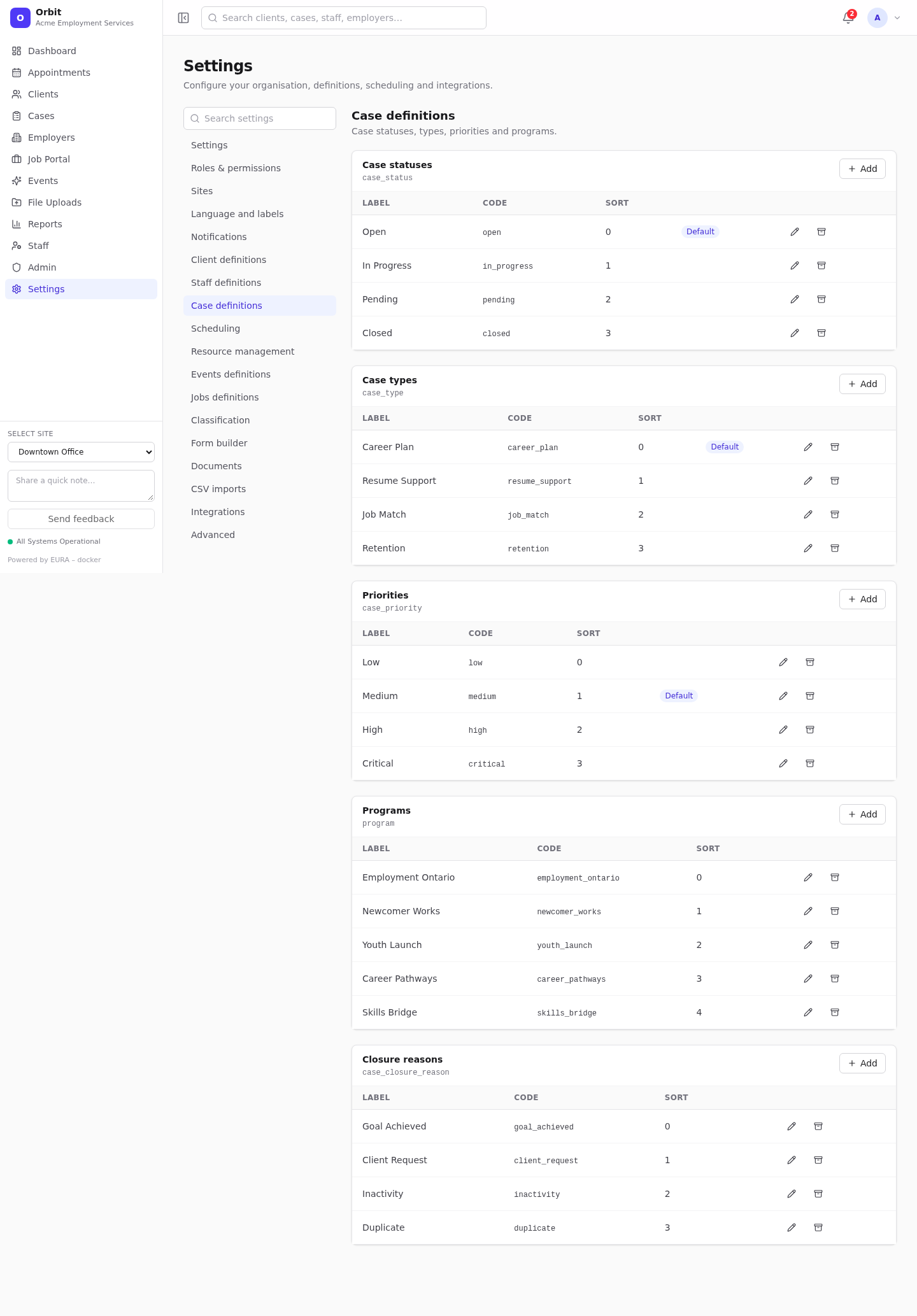
Where each set lives
| Settings section | Sets |
|---|---|
| Client definitions | Client statuses, Interaction types, Interaction statuses, Exit reasons, Note types |
| Staff definitions | Staff roles, Staff statuses, Departments |
| Case definitions | Case statuses, Case types, Priorities, Programs, Closure reasons |
| Scheduling | Appointment types (with default duration), Appointment statuses, Location types |
| Resource management | Resource types |
| Events definitions | Event types, Event statuses, Participant roles, Registration statuses, Attendance statuses |
| Jobs definitions | Application stages, Application statuses, Employer statuses, Employer sources, Job posting statuses, Job categories, Employment types, Workplace types, Internal / external, Salary periods, Rejection reasons |
Gallery of each section:
| Section | Screenshot |
|---|---|
| Client definitions | 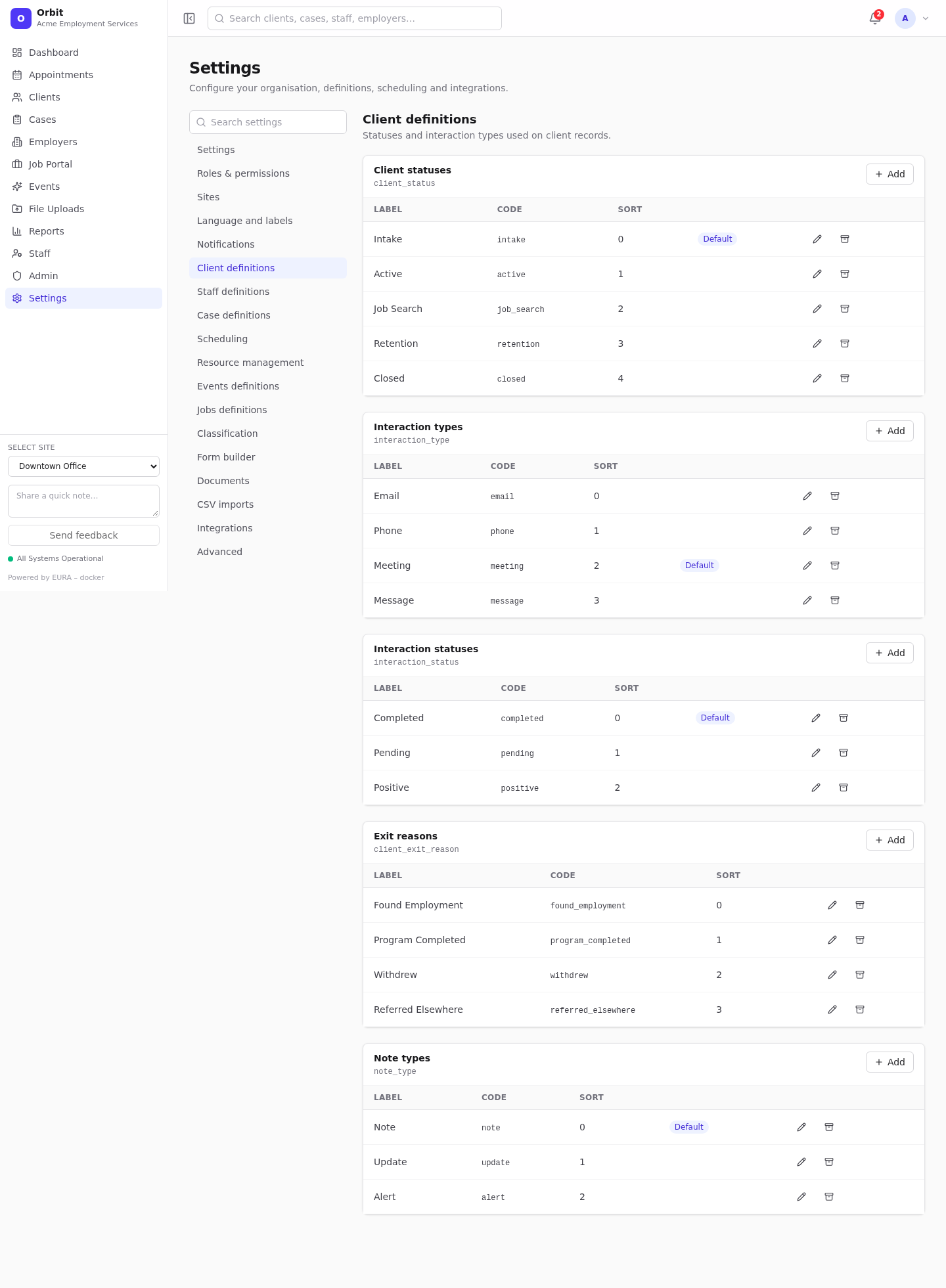 |
| Staff definitions | 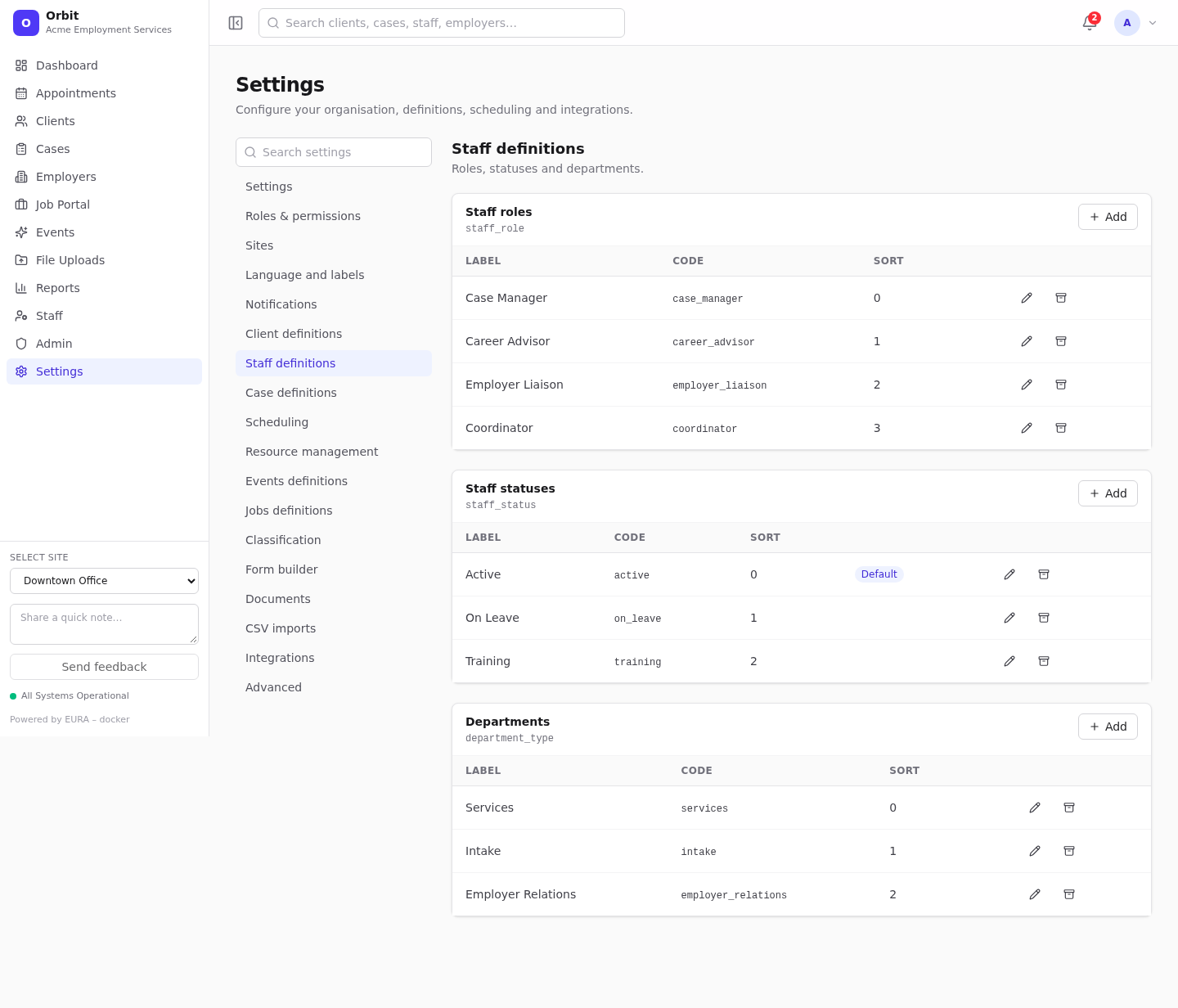 |
| Events definitions | 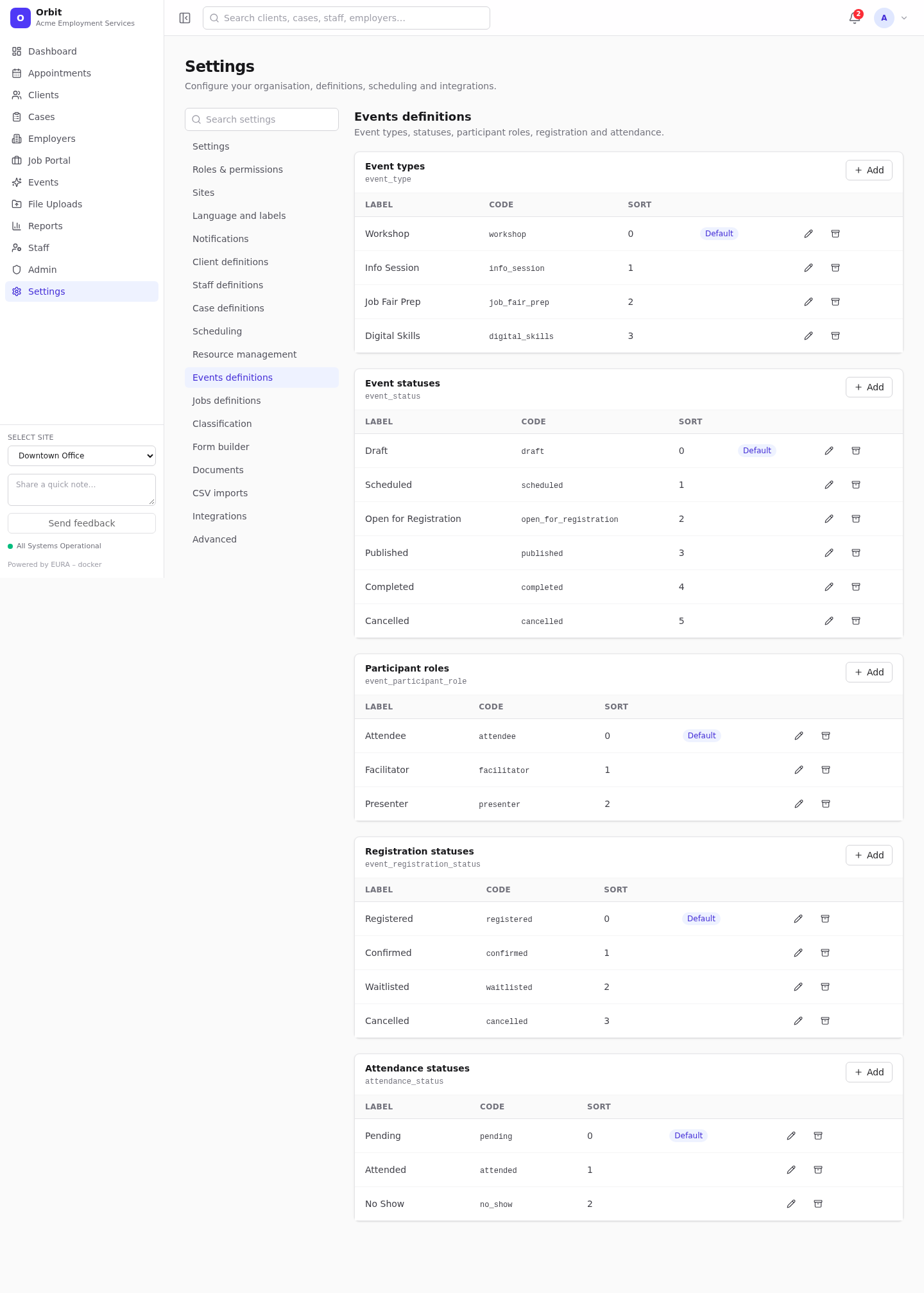 |
| Jobs definitions | 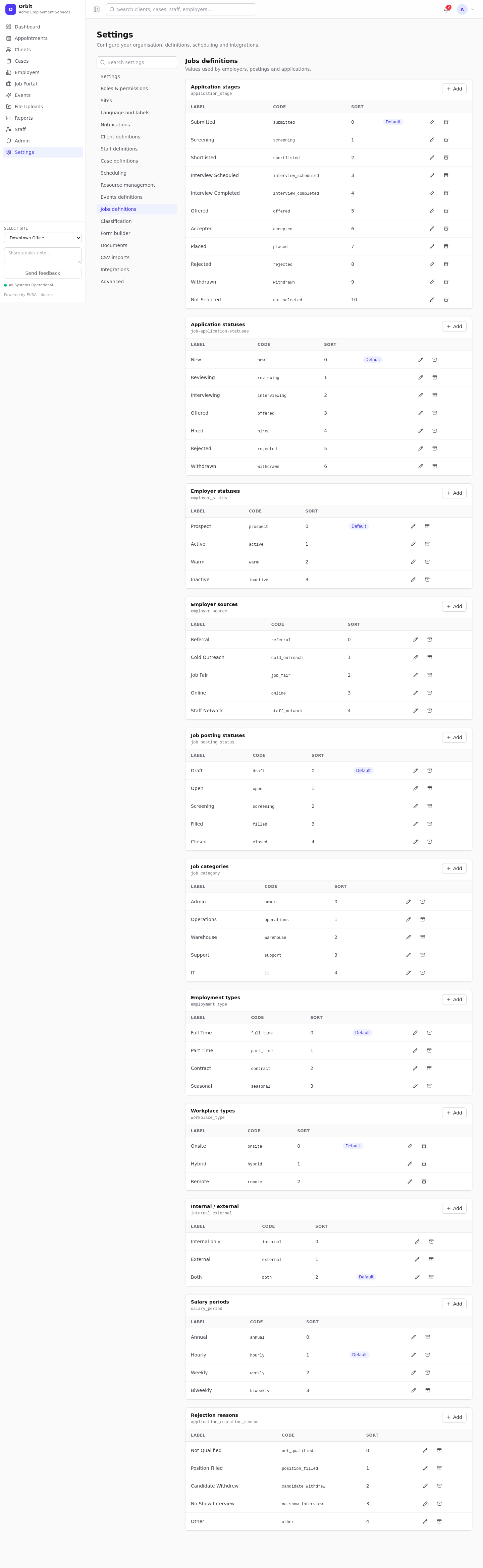 |
Every set and its default values: Definition sets reference.
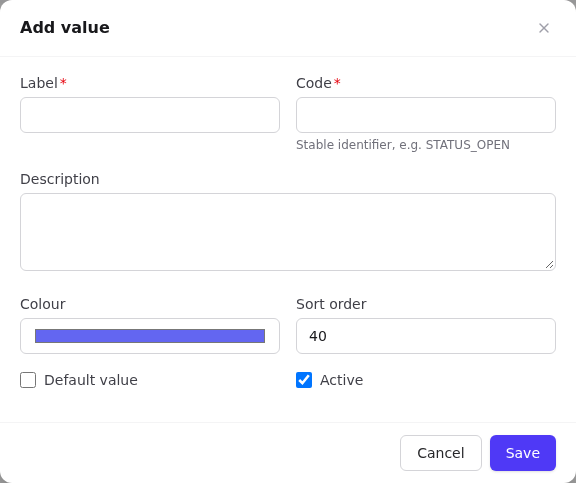
Each value has
| Column | Meaning |
|---|---|
| Label | What users see |
| Code | A stable identifier, used by imports, reports and integrations (for example job_search). Keep it short, lower-case, with underscores |
| Description | Optional |
| Colour | Badge and calendar colour |
| Sort order | Position in dropdowns |
| Default duration (minutes) | Appointment types only; sets the end time automatically |
| Default value | Pre-selected in new records. One per set |
| Active | Archived values can't be chosen and don't match in imports, but existing records keep them |
Add or edit a value
- On the set's card select Add, or the pencil on a value.
- Fill in Label and Code (both required) and the other fields.
- Tick Default value to make it the default; the previous default is cleared.
- Select Save.
- Archive (box icon) hides a value from new use; Restore brings it back.
- Seed defaults appears when a set is empty or missing; it adds Orbit's standard values.
Codes Orbit relies on
Some behaviour looks for specific codes. Rename the labels freely, but keep these codes:
| Set | Code | Used for |
|---|---|---|
| Case statuses | closed |
Stamps the closed date; marks the case closed in dashboards and workload |
| Note types | alert |
Mark as important notes and the client Alerts count |
| Follow-up statuses (system) | pending, completed |
Ticking follow-ups done or not done |
| Event statuses | published, open_for_registration |
Make public events visible on the portal |
| Attendance statuses | attended, pending |
Check-in mode |
| Application stages | shortlisted, interview_scheduled, placed |
Job Portal tiles, employer placements |
| Application statuses (system) | new |
New applications tile |
| Job posting statuses | open; filled, closed |
Active jobs tile; refusing new portal applications |
| Employer statuses | active |
Active employers tile |
| Import statuses (system) | pending, processing, completed, failed |
Import jobs |
| Resource types | staff |
Resources created for staff availability |
System sets (follow-up statuses and priorities, import statuses, job application statuses) always exist in every organisation.
Tips
- Changing a label is safe: existing records show the new label immediately.
- Changing a code breaks import files and integrations that use the old code.
- Archive rather than delete, so old records keep a meaningful value.
- Plan statuses as a pipeline (for example Intake → Active → Job Search → Retention → Closed) and use Sort order to match.