Job applications
Applications connect an applicant to a job posting and move through stages from Submitted to Placed.
Needs: jobs.read / jobs.write. Reviewing portal submissions also needs public-submissions.read / .write.
Applicant queues
Open a posting and select the Applicants tab.
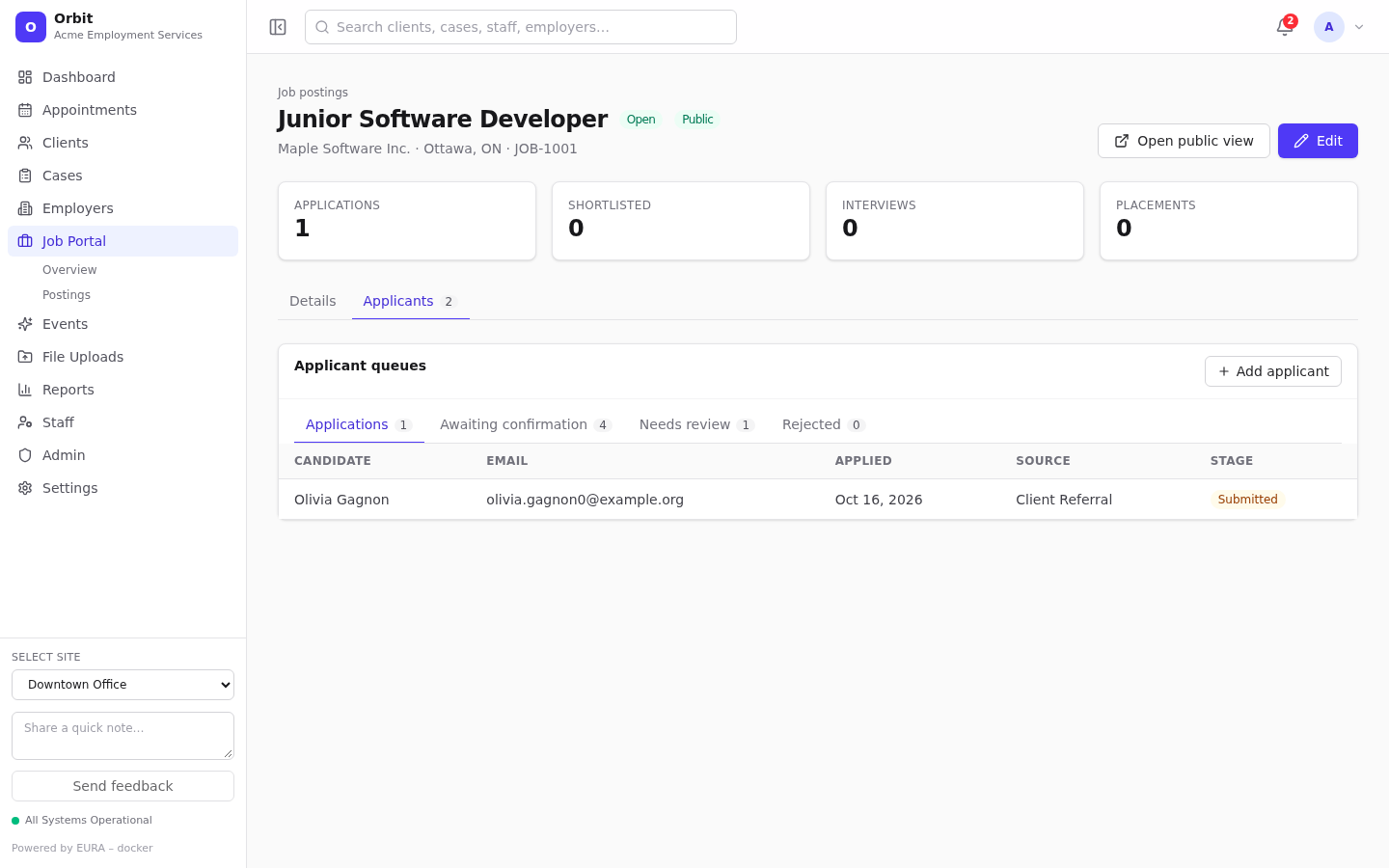
| Queue | Contains |
|---|---|
| Applications | Real applications, with candidate, email, applied date, source and stage |
| Awaiting confirmation | Portal applications whose applicant hasn't confirmed their email yet |
| Needs review | Confirmed portal applications, ready to convert or reject |
| Rejected | Portal applications you rejected |
Select a row to open it. Portal submissions open the submission review page.
/jobs/applications has no page of its own. It redirects to the postings list filtered to postings with applications (or to one posting's queues when given ?postingId=).
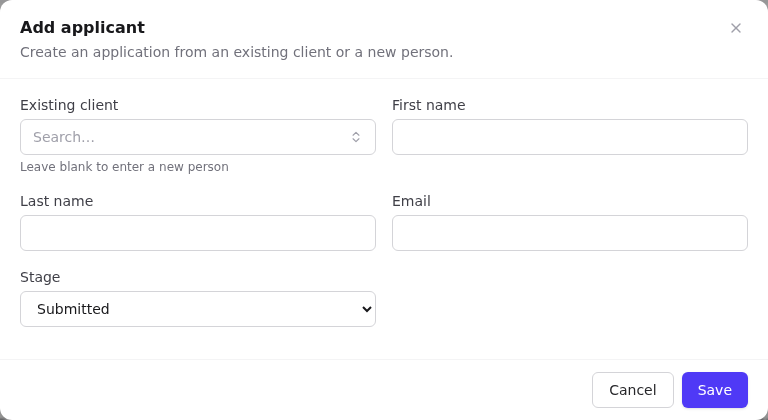
Add an applicant manually
- On the Applicants tab select Add applicant.
- Either pick an Existing client, or leave it blank and enter First name, Last name and Email for a new person.
- Choose the starting Stage (defaults to Submitted).
- Select Save. Orbit reuses the person's applicant profile if they already have one.
Application record
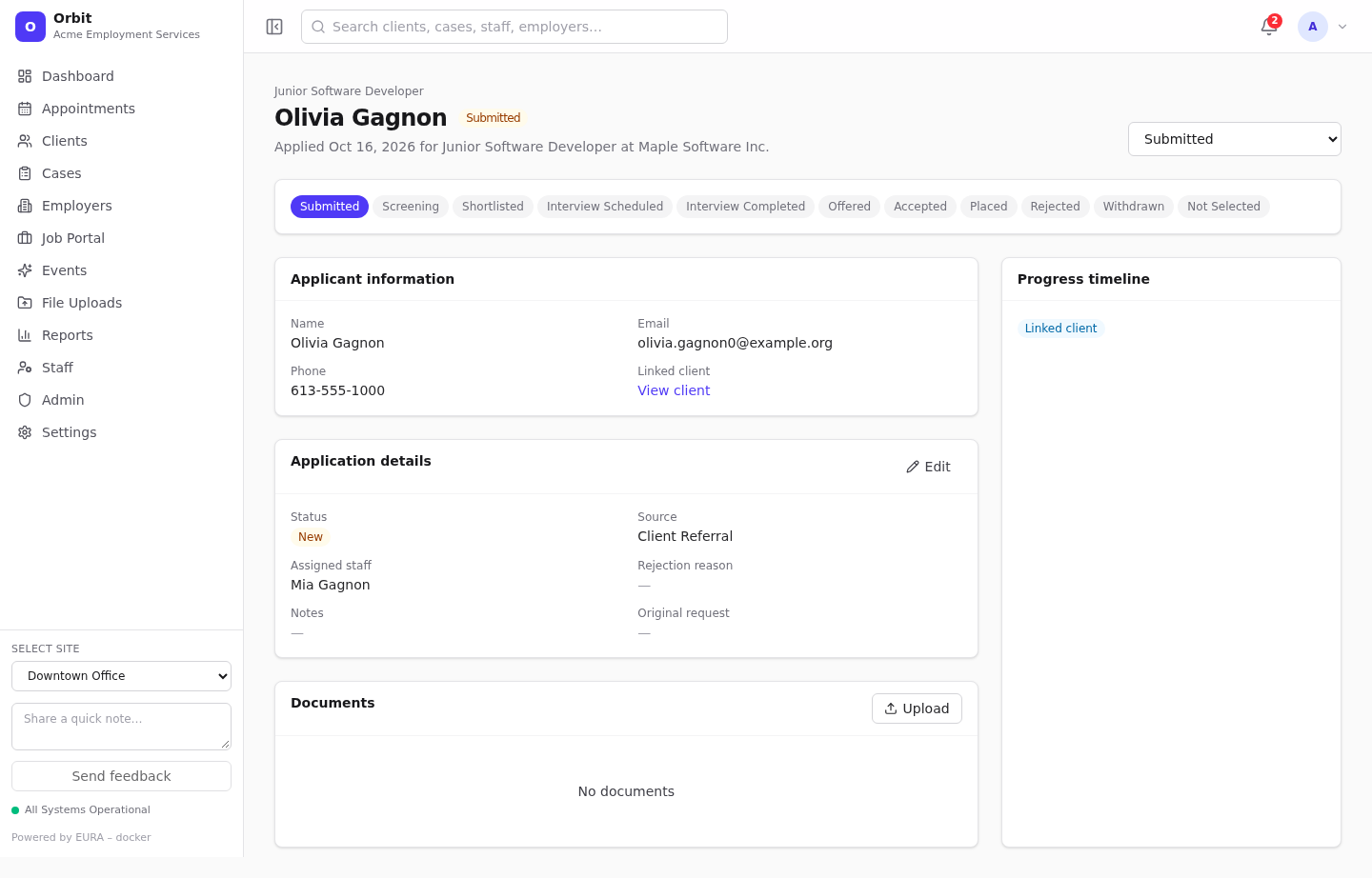
- Stage dropdown (header): move the application to another stage. Each move is added to the Progress timeline.
- Stage bar: shows the stages, highlighted up to the current one.
- Applicant information: name, email, phone, linked client.
- Application details (Edit): status, source, assigned staff, rejection or withdrawal reason, and a notes box for interview details and employer feedback. View original request links to the portal submission it came from.
- Documents: for example the resume.
Stages vs. statuses
- Stage (
application_stage): where the candidate is in the hiring process: Submitted, Screening, Shortlisted, Interview scheduled, Interview completed, Offered, Accepted, Placed, Rejected, Withdrawn, Not selected. Overview tiles and Placements count by stage code (shortlisted,interview_scheduled,placed). - Status (
job-application-statuses): the overall state: New, Reviewing, Interviewing, Offered, Hired, Rejected, Withdrawn. New applications on the overview counts statusnew.
Both lists are editable in Settings → Jobs definitions. Keep the codes above if you want the overview tiles and employer placement counts to work.