Employers
Employer partners hire your clients. Each employer record holds company details, an industry classification (NAICS), contacts, logged interactions, notes, documents, job postings and placements.
Where: sidebar → Employers (/employers). Needs: employers.read / employers.write. License: Employer Management.
Employer list
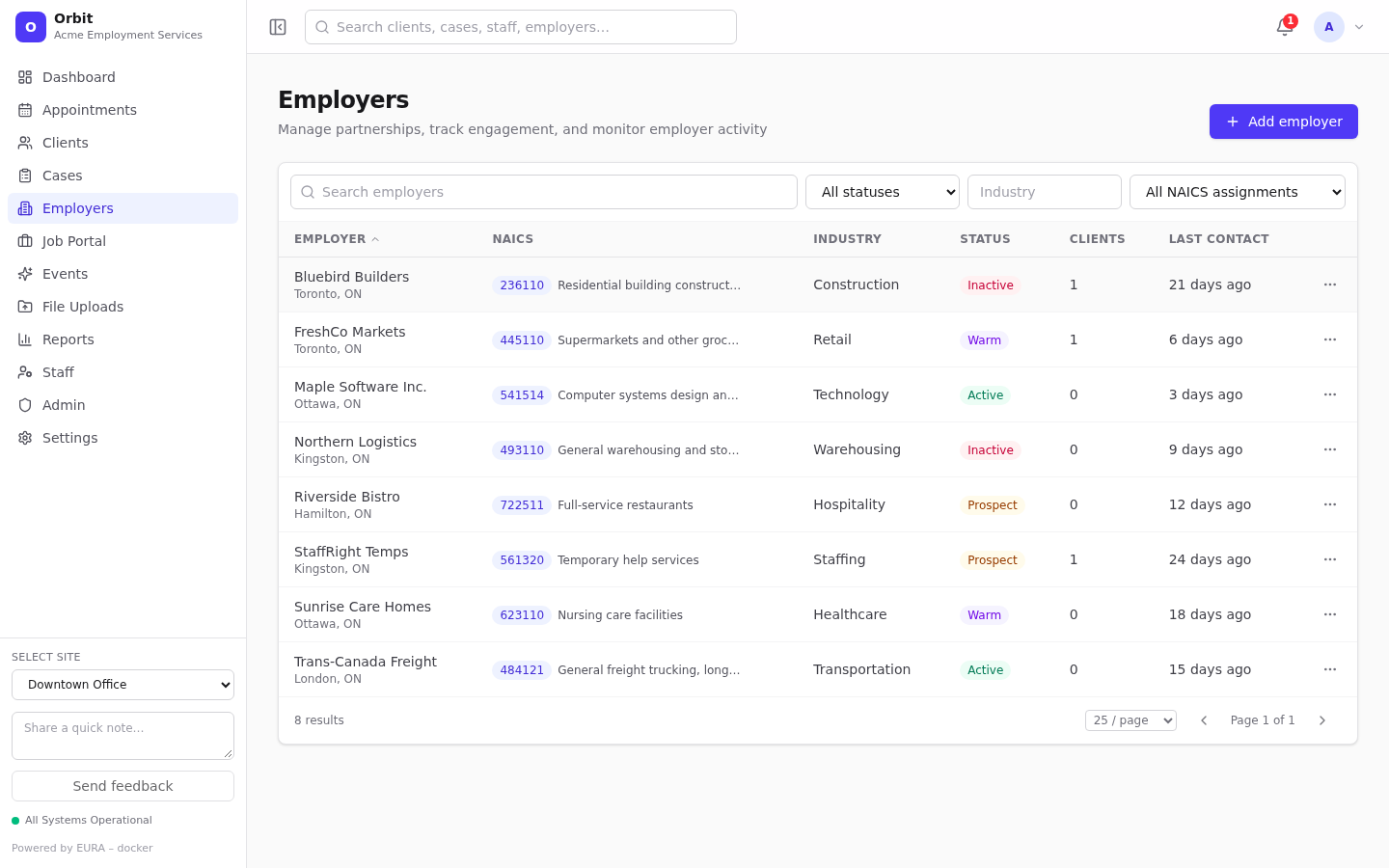
- Search employers, All statuses (Prospect, Active, Warm, Inactive), Industry (free text), and Missing NAICS assignment.
- Columns: Employer (with city and province), NAICS, Industry, Status, Clients (employed clients), Last contact.
- Row menu: View details, Edit, Post job (opens a new posting for this employer), Delete.
Add an employer
- Select Add employer.
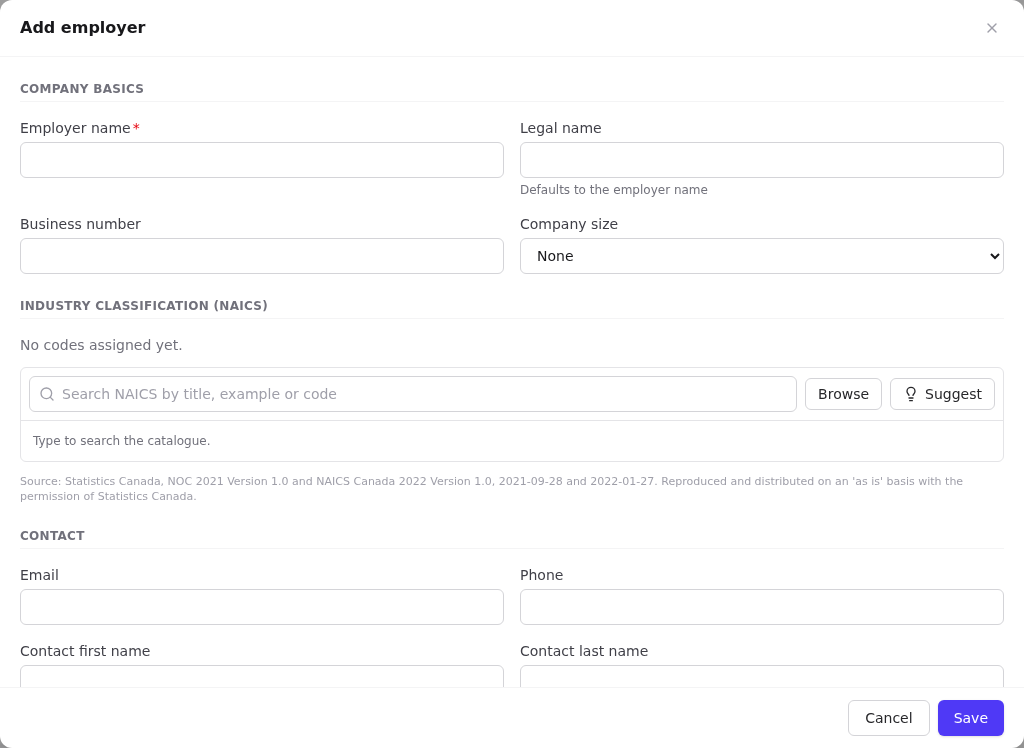
- Company basics: Employer name (required), Legal name (defaults to the employer name), business number, company size.
- Industry classification (NAICS): search or browse the NAICS 2022 catalogue, or select Suggest for suggestions based on the name and industry. Up to 3 codes; the star marks the primary one. Your organisation may require a minimum level of detail; see Classification settings.
- Contact: email and phone, plus optional first name, last name and title of a primary contact. A contact record is created for them.
- Classification: Status (required), Relationship / source, Industry (free text), Website.
- Assignment & address: Owner (staff member responsible), address and Internal notes.
- Select Save. Orbit opens the new employer.
Employer record
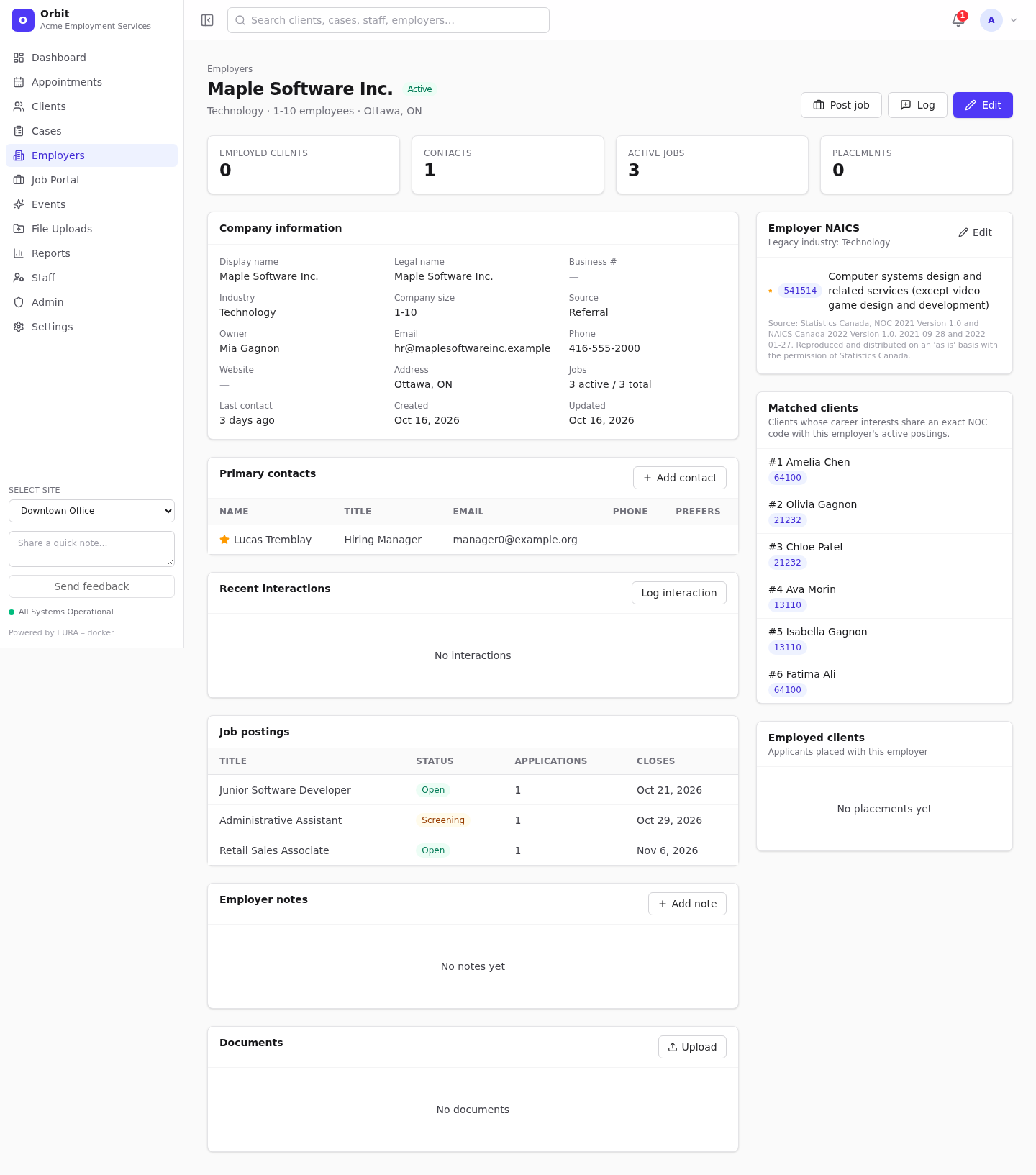
- Header actions: Post job, Log (interaction), Edit.
- Tiles: Employed clients, Contacts, Active jobs, Placements.
- Company information: every company field plus job counts and last contact.
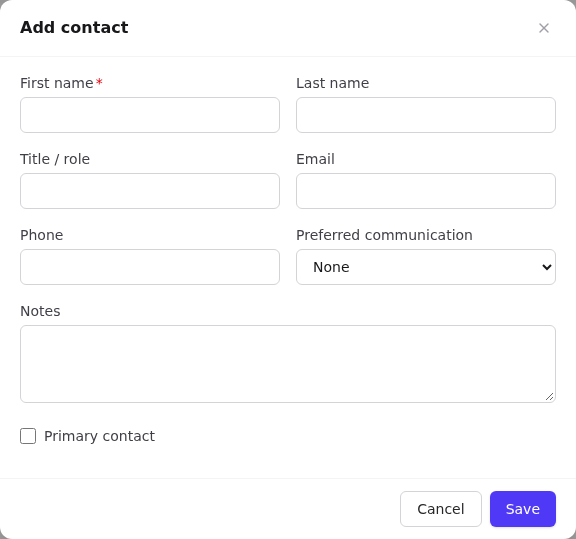
- Primary contacts: Add contact (first name required; title, email, phone, preferred communication, notes, Primary contact). Select a contact row to edit it. The star marks the primary contact.
- Recent interactions: calls, meetings and emails with the employer, showing type, outcome, contact, staff and next step.
- Job postings: this employer's postings with status, application count and closing date.
- Employer notes and Documents (up to 25 MB; PDF, Word, Excel, PowerPoint, text, images).
- Employer NAICS: view, or Edit and Save. A warning appears if the primary code is less specific than your organisation's minimum.
- Matched clients: clients whose career interests share an exact NOC code with this employer's active postings.
- Employed clients: applicants who reached the Placed stage with this employer.
Log an employer interaction
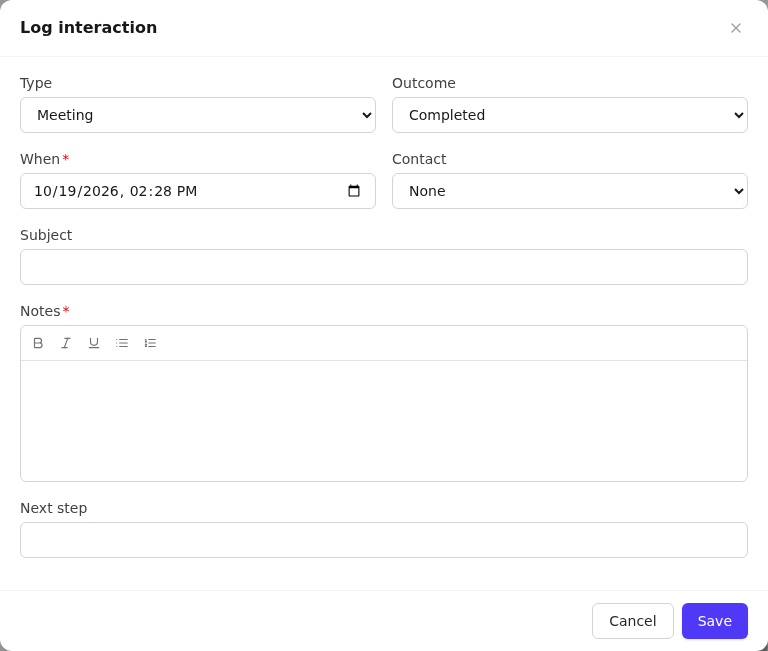
- Select Log or Log interaction.
- Choose the Type and Outcome, set When, pick the Contact, and add a Subject, Notes (required) and Next step.
- Select Save. The employer's (and contact's) Last contact updates.