Notifications
In-app notifications tell you when work is assigned to you and when it's coming up.
Needs: notifications.read.
What triggers a notification
| Event | Who is notified | Setting |
|---|---|---|
| An appointment is assigned to you | The assigned staff | Appointment assigned |
| Your appointment changes | The assigned staff | Appointment updated |
| Your appointment starts soon | The assigned staff | Appointment reminders, with Remind before appointment (minutes) |
| A follow-up is assigned to you | The assigned staff | Follow-up assigned |
| Your follow-up is due soon | The assigned staff | Follow-up reminders, with Remind before follow-up due (minutes) |
| An administrator sends a test | The administrator | Send test in Settings → Notifications |
Administrators control these in notification settings. Reminders are created by the background worker (every minute by default) and are never sent twice for the same item.
The bell
See Navigating Orbit → Notifications for the dropdown and drawer.
Notifications page
/notifications shows your full history.
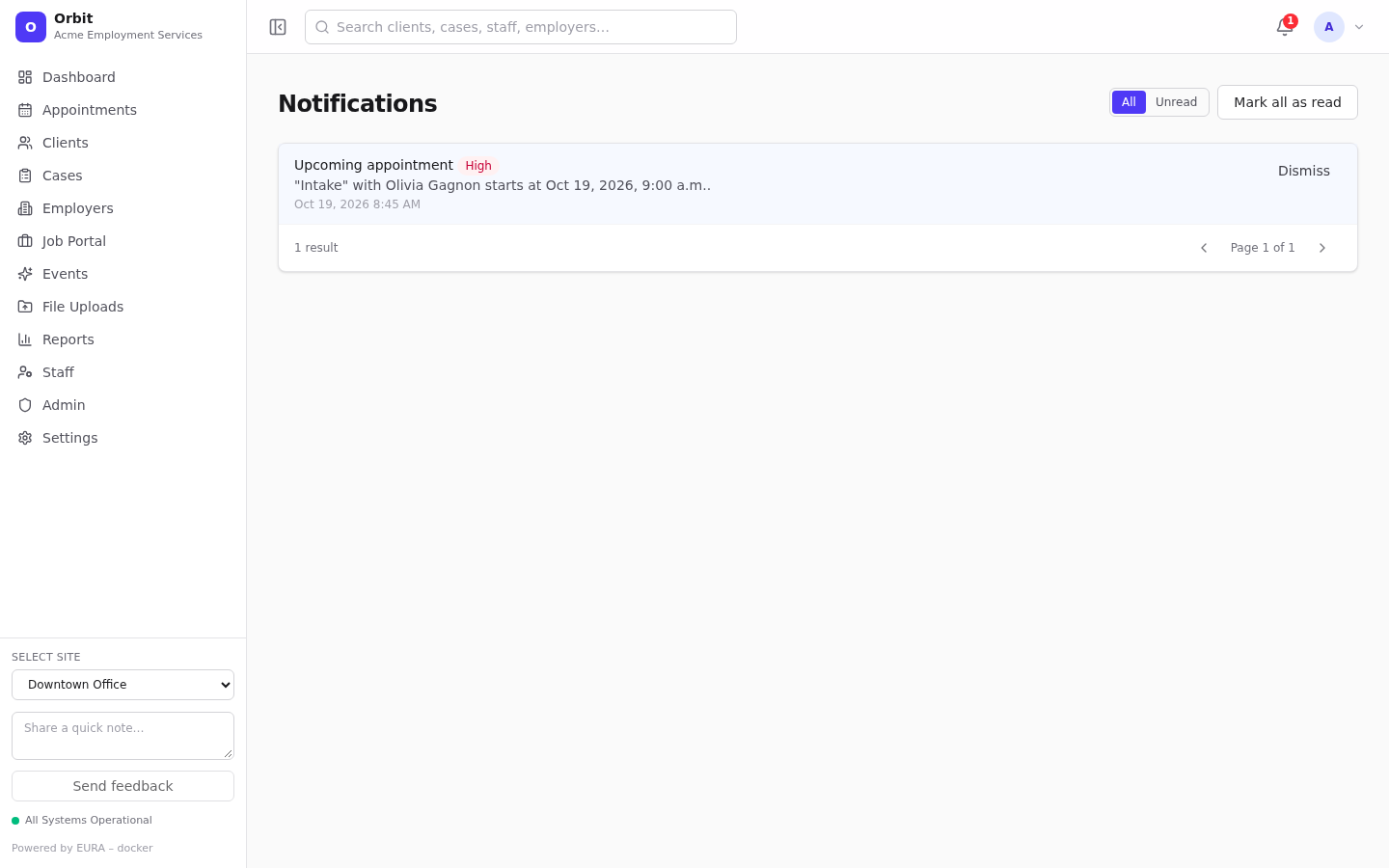
- All / Unread filter.
- Mark all as read.
- Select a notification to mark it read and open the related record.
- Dismiss removes it from your list.
- High-priority notifications show a red High badge.
Sound
Turn on Play a sound for new notifications in your profile.