Dashboard
Your starting page: what's assigned to you, what's due and what's happening across the team.
Where: sidebar → Dashboard (/dashboard). Needs: dashboard.read.
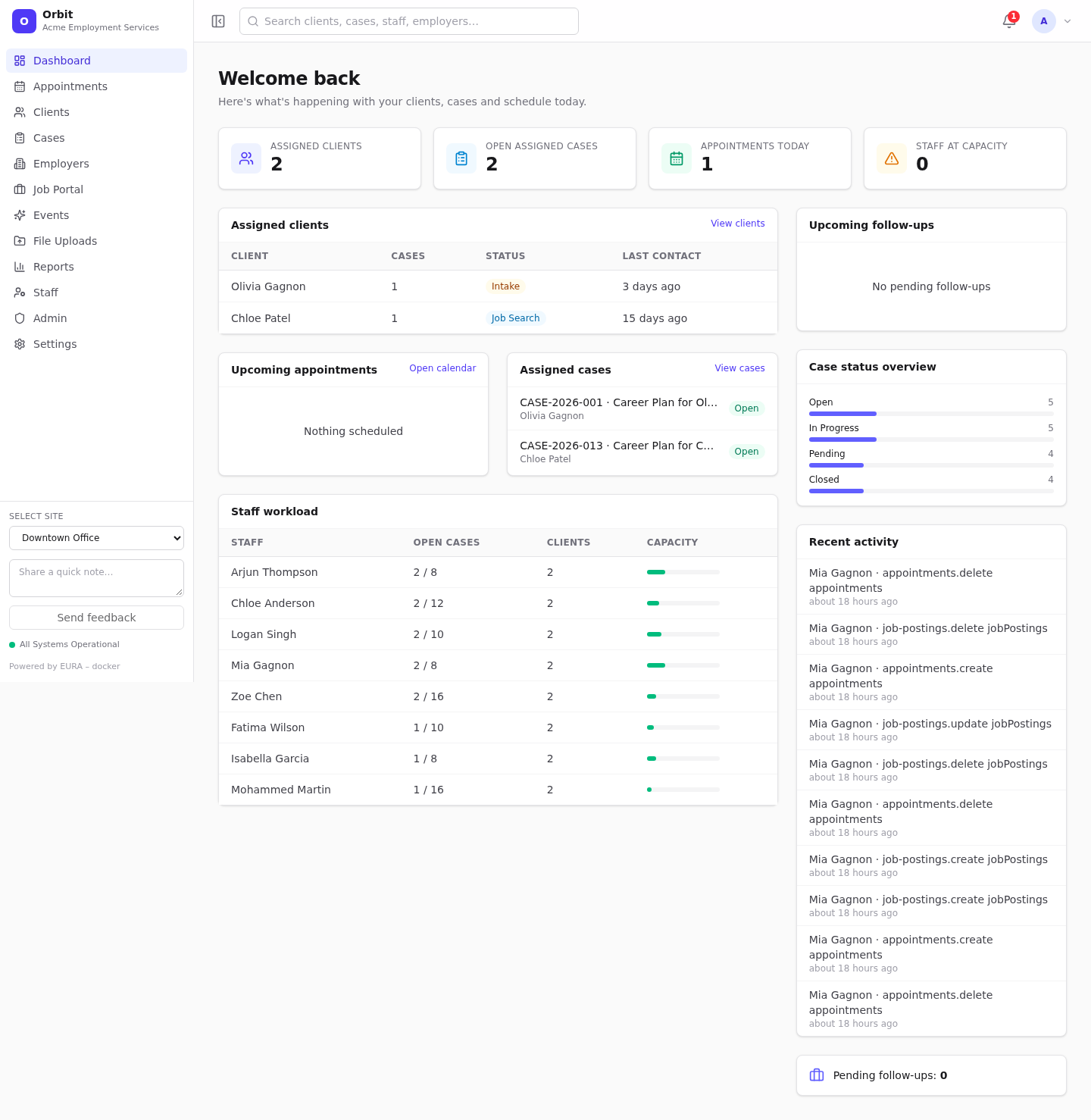
What's on it
| Card | Shows | Tip |
|---|---|---|
| Assigned clients (tile) | Clients assigned to you | – |
| Open assigned cases (tile) | Your cases that aren't closed | – |
| Appointments today (tile) | Your appointments today | – |
| Staff at capacity (tile) | Staff whose open cases have reached their Max open cases | Set the limit on each staff profile |
| Assigned clients | Your 6 most recently contacted clients | View clients opens the full list |
| Upcoming appointments | Your next appointments, with status | Select one to open it in the calendar; Open calendar opens the scheduler |
| Assigned cases | Your open cases | View cases opens the case list |
| Staff workload | Open cases vs. capacity per staff member (green < 80 %, amber ≥ 80 %, red at capacity) | Shown with staff.read |
| Upcoming follow-ups | Your pending follow-ups. Overdue is red, Today amber | Tick the box to complete one; untick to reopen |
| Case status overview | All cases by status | – |
| Recent activity | The latest changes made in Orbit | – |
| Pending follow-ups | Count of your open follow-ups | – |
The dashboard refreshes itself when colleagues change appointments, cases or clients.
"Staff profile setup needed"
If your login isn't linked to a staff profile, the dashboard shows Staff profile setup needed instead, because nothing can be assigned to you. Select Browse clients to keep working, and ask an administrator to link your account in Admin → Users. See Users and access.