Documents and files
Upload files to clients, cases, employers, job applications and events, keep versions, and download them again.
Needs: files.read to view and download, files.write to upload or delete. License: Documents.
Uploading to a record
Clients, cases, employers, job applications and events have a Documents card.
- Select Upload on the card.
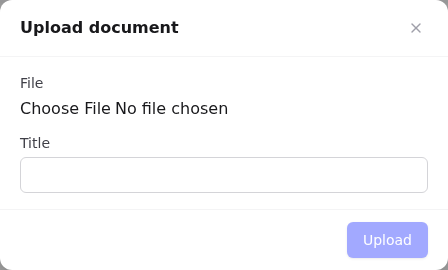
- Choose the File (PDF, Word, Excel, PowerPoint, text or images; up to 25 MB by default).
- Optionally enter a Title (defaults to the file name) and Description.
- Select Upload.
Each row shows the title, file name, size and date, with Download and Delete buttons.
Document library
/documents lists every uploaded file in your organisation. There's no sidebar link; bookmark it or open it from a document link.
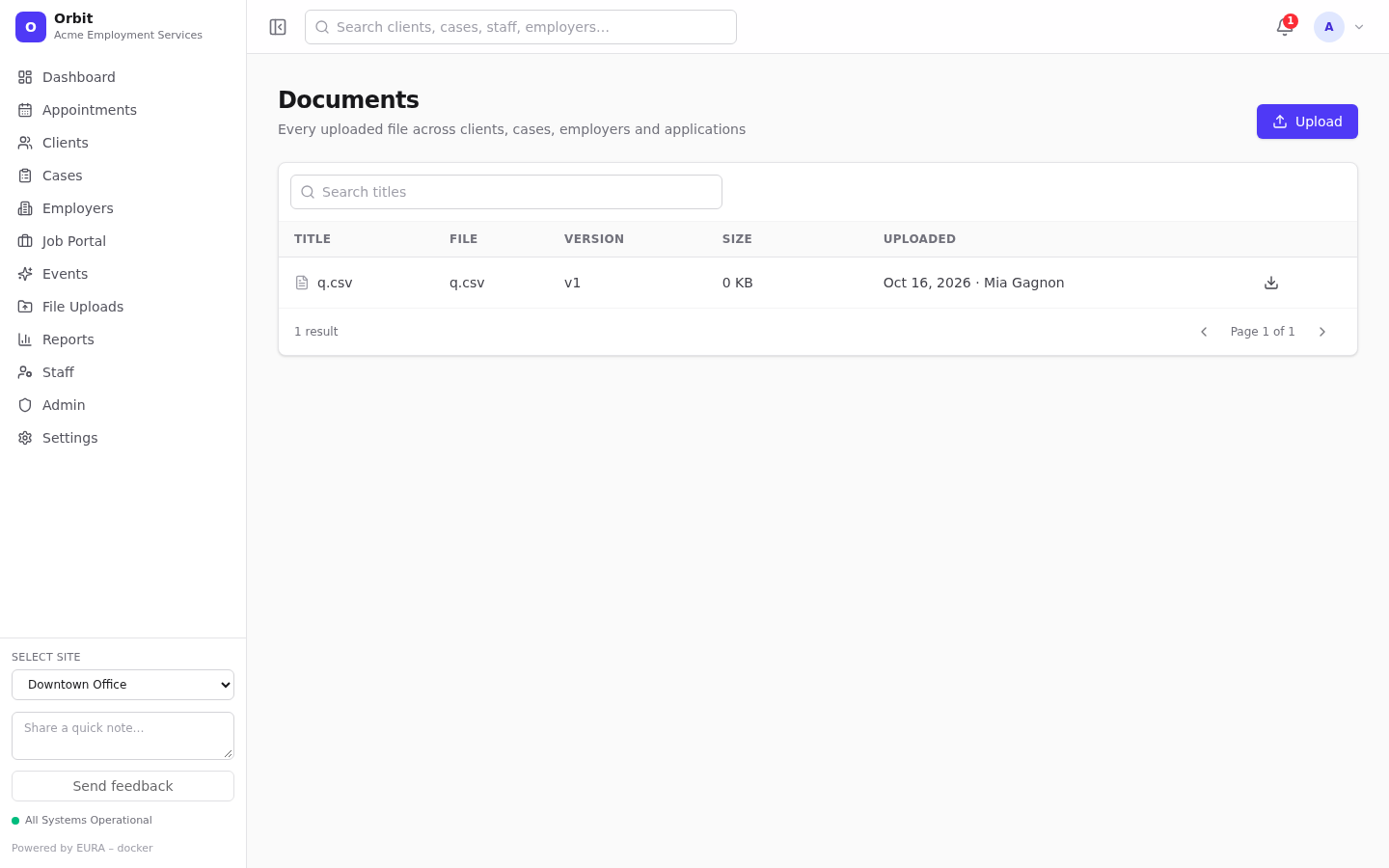
- Search titles; columns show file, version, size, Confidential, and who uploaded it and when.
- Upload adds a file that isn't attached to any record.
Document page and versions
Select a document title to open /documents/<id>.
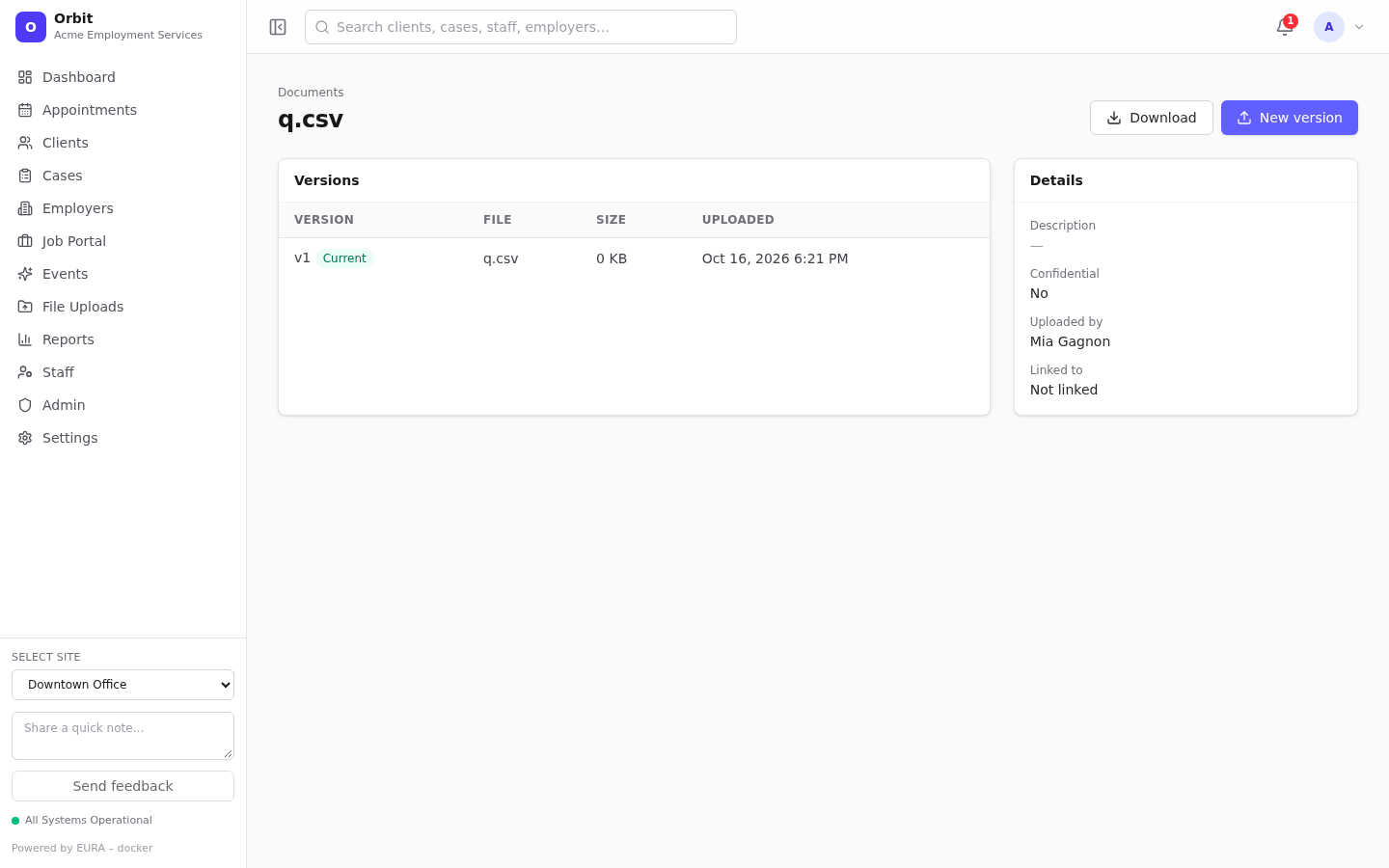
- Versions: every uploaded version; the current one is marked Current.
- New version: upload a replacement file. The version number goes up and downloads now return the new file. Older versions stay listed.
- Download: the current version, with its original file name.
- Details: description, confidential flag, uploader and Linked to (which kinds of records it's attached to).
Deleting
Delete on a record's Documents card removes the document from lists and deletes the stored file of its current version.
Storage and security
Files are stored in S3-compatible object storage, tagged with your organisation. Orbit checks the tag on every download, so one organisation can never read another's files. Upload size, allowed types, default confidentiality and retention are set in Settings → Documents; see Documents settings.
Resumes uploaded on the public portal are limited to PDF, DOC or DOCX up to 5 MB, and the file contents are checked against the extension.