Reports overview
A live operations dashboard for managers: caseloads, appointments, jobs and risks for a period and site.
Where: sidebar → Reports → Overview (/reports). Needs: reports.read. License: Reporting.
Note: The default Staff role doesn't include any
reports.*permission. Give report access with a custom role.
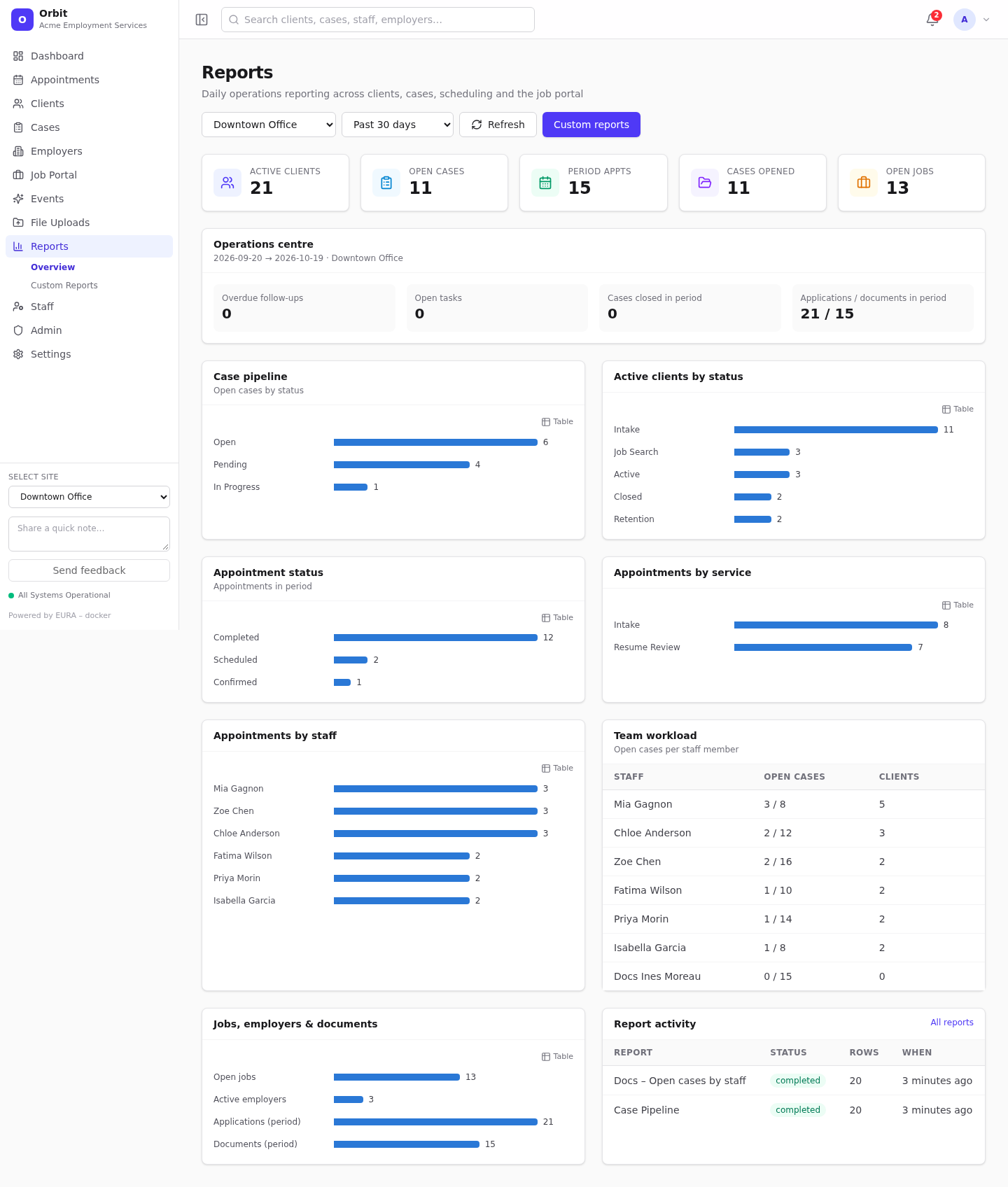
Controls
| Control | Options |
|---|---|
| Site | All my sites, or one site |
| Period | Today, Past 7 days, Past 30 days (default), Month to date, Custom… (pick start and end dates) |
| Refresh | Recalculate now |
| Custom reports | Go to Custom reports |
Figures are calculated for your timezone and only include sites you can access.
What it shows
- KPI tiles: Active clients, Open cases, Period appts (appointments in the period), Cases opened (in the period), Open jobs.
- Operations centre: Overdue follow-ups (with a warning icon when above zero), Open tasks, Cases closed in period, Applications / documents in period.
- Case pipeline: open cases by status.
- Active clients by status.
- Appointment status: appointments in the period by status.
- Appointments by service and Appointments by staff.
- Team workload: open cases (of maximum) and clients per staff member; Near capacity flags staff close to their limit.
- Jobs, employers & documents: open jobs, active employers, applications and documents in the period.
- Report activity: the latest custom-report runs with status and row count.
A recurring appointment counts once per series, not once per occurrence.