Classification and matching (NOC & NAICS)
Orbit uses Statistics Canada's classifications to describe occupations and industries, and to match clients with jobs:
- NOC 2021 (National Occupational Classification): occupations. Used for client career interests and job postings.
- NAICS 2022 (North American Industry Classification System): industries. Used for employers.
Both catalogues are bundled with Orbit and loaded automatically.
The picker
The same picker appears on clients, postings and employers.
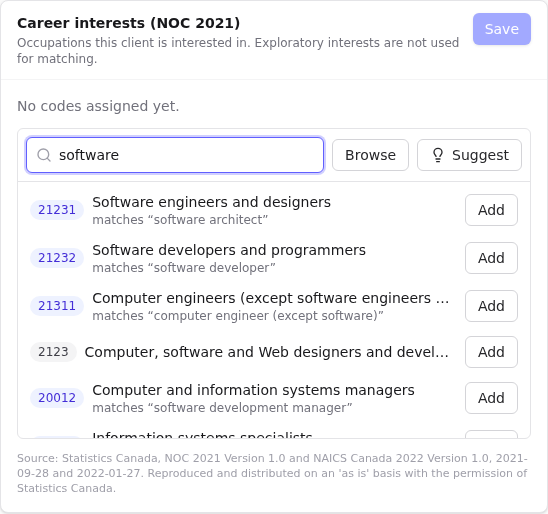
- Search by title, example job title or code. Results show matches "…" when an example term matched.
- Browse walks the hierarchy (broad category → major group → … → unit group). Use Open › to go down a level, and the breadcrumb to go back up.
- Suggest proposes codes by matching words in the record against the catalogue: the client's Job-search notes and Company (fill those in for better suggestions), the posting's title and description, or the employer's name, industry and notes.
- Add assigns a code. The star marks the primary code; the first code added is primary.
- The bin icon removes a code.
Levels
- NOC: only 5-digit unit groups (for example
21232 Software developers and programmers) are used for matching. Postings can only take 5-digit codes. Clients with only broader codes show Missing specific NOC code in the client list filter. - NAICS: 2-digit sector to 6-digit national industry. Your organisation may set a minimum level; employers below it show a warning. See Classification settings.
Client career interests
Client → Career interests tab.
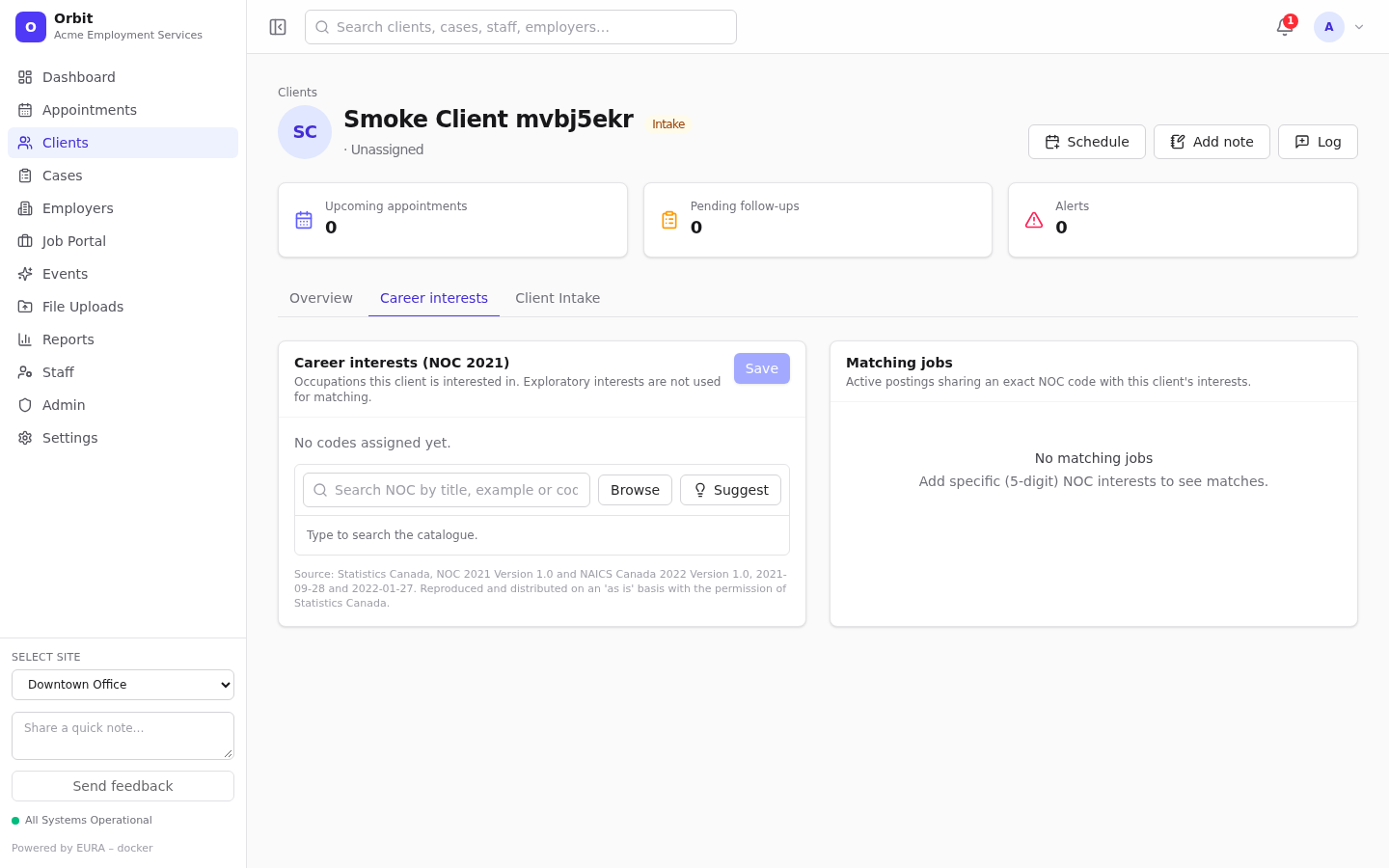
- Search, browse or Suggest, then Add occupations the client is interested in.
- Star the primary one.
- Tick Exploratory for interests the client is only considering. Exploratory interests are not used for matching.
- Select Save.
Matching jobs (right) lists active postings sharing an exact 5-digit NOC code with the client's (non-exploratory) interests. Green badges mean primary matches primary.
Job posting NOC
Set in the posting dialog's Occupation (NOC 2021) section; up to 3 codes. The posting page shows Job NOC and Matched clients (ranked).
Employer NAICS
Set in the employer dialog or the Employer NAICS card; up to 3 codes. The employer page's Matched clients lists clients whose interests match the NOC codes of that employer's active postings.
Policy
Administrators can require codes, for example a NOC before a posting is published, or NAICS for employers. When a rule blocks a save you'll see a message such as A 5-digit NOC code is required before publishing or The employer needs a NAICS classification before this job can be published. See Classification settings.
Reports
Starters Clients by Primary NOC, Job Postings by Primary NOC, Employers by Primary NAICS and Exact NOC Match Volumes, plus the Classification matches dataset. See Custom reports.
Attribution
Each picker shows the Statistics Canada attribution text for the catalogue version in use.