Provisioning tenants
Create a new organisation (tenant) on the platform.
Where: Overseer → Tenants.
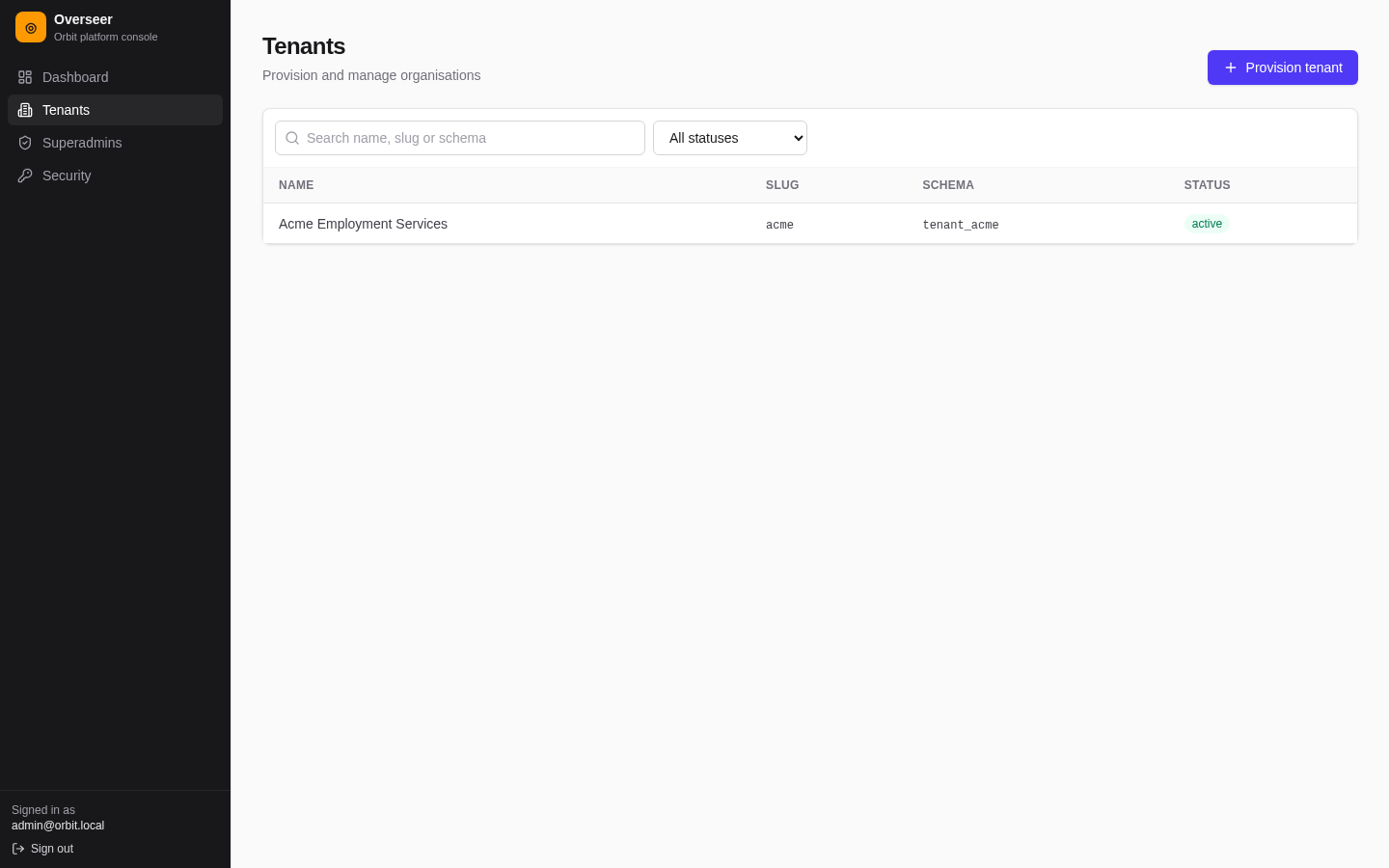
The list shows name, slug, schema and status, with search and a status filter. Select a tenant to manage it.
Provision a tenant, step by step
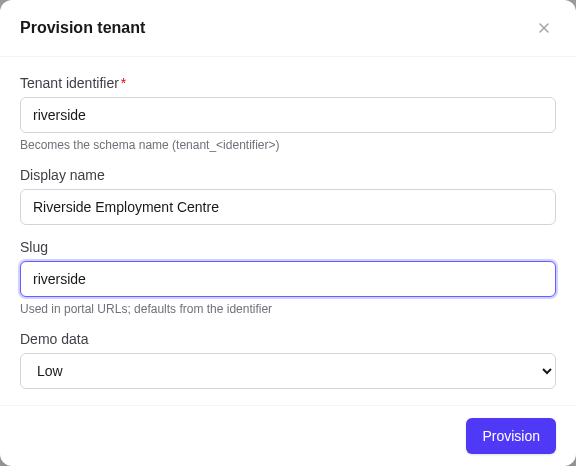
- Select Provision tenant.
- Tenant identifier (required): becomes the database schema
tenant_<identifier>, for exampleriverside→tenant_riverside. It can't be changed later. - Display name: for example Riverside Employment Centre. Defaults to the identifier.
- Slug: used in URLs (
/jobs/<slug>) and as the Tenant ID users type at sign-in. Lower-case letters, digits and hyphens. Defaults from the identifier. - Demo data: None for a real organisation, or Low, Medium or High for a demo or training tenant.
- Select Provision.
The result shows Tenant created with the schema name. With demo data it also shows a seeding report (counts of what was created). Select Open tenant.
Provisioning:
- creates the tenant's database schema and runs its migrations;
- adds the system and standard definition sets;
- turns on all six licenses;
- seeds the demo data, if chosen.
Provisioning the same identifier again is safe: it reports Tenant already exists and changes nothing.
Demo data levels
| Level | Sites | Staff | Clients | Cases | Appointments | Employers | Jobs | Events |
|---|---|---|---|---|---|---|---|---|
| Low | 1 | 5 | 4 | 4 | 6 | 3 | 4 | 2 |
| Medium | 2 | 12 | 24 | 18 | 30 | 8 | 24 | 4 |
| High | 3 | 24 | 300 | 180 | 300 | 20 | 60 | 8 |
Demo data also includes resources, NOC/NAICS assignments, applicants and applications, a Client Intake form and a Workshop Registration form. Appointments are conflict-free and within business hours.
After provisioning: hand-over checklist
A new tenant (without demo data) has no sites and no users. On the tenant page:
- Sites tab → Add site for the main office.
- Users tab → Add user: the organisation's first administrator, role Tenant Admin, with a temporary password and Require password change at first sign-in.
- Licenses tab: switch off modules the organisation hasn't bought.
- Integrations tab: optionally a PlaceKit key.
- Send the administrator the dashboard address, their Tenant ID (the slug), email and temporary password. Point them at the first-time setup checklist.
Command-line alternative
On the server you can also create a tenant with demo data and an admin login (admin@<slug>.test / Password123!):
pnpm --filter @orbit/api dev:setup <slug> <low|medium|high>
# Docker:
docker compose run --rm setup <slug> <low|medium|high>
Use this for development and demos only, then change the password.